Express Dictate, Set Up For Notes You'll Actually Reuse
Express Dictate records first and hands the audio off to become text later, so the setup that matters is what happens to the file afterward.
Express Dictate, Set Up For Notes You'll Actually Reuse
Express Dictate is a dictation recorder for Mac and Windows from NCH Software: you speak, it saves an audio file, and you send that file on to be typed. It does not turn speech into text by itself, and knowing that up front is the whole difference between a setup that pays off and a folder of recordings nobody ever reads back. To get a recording someone can actually turn into text:
- Install Express Dictate and pick your microphone in the recording controls.
- Choose a record mode (insert, overwrite, or record-at-end) and switch on voice-activated recording so long silences are dropped.
- Choose the file format the other end can open:
dctfor NCH tools,mp3for anything else. - Set one delivery method: email, a shared network folder, or FTP.
- Record, then send the dictation to the person, or the software, that will transcribe it.
You Finished Dictating. It Still Is Not Text.
You held down the hotkey, said the whole letter or the whole case note out loud, and let go. On screen there is a tidy waveform and a file. What there is not, yet, is a paragraph you can paste into a document. That gap is where most people meet Express Dictate for the first time, and it catches paralegals, doctors and solo consultants alike.
Three things tend to trip the same wire. The recording will not type itself, no matter how clean the audio is. The file that came out has an extension you may not recognize, and you are not sure who can open it. And the two sentences you actually needed are buried somewhere inside twelve minutes of talking, with no text to search.
None of that is a fault in the app. It is the design. Express Dictate belongs to an older, deliberate workflow: dictate now, let a typist (or a transcription engine) turn it into text later. The product page calls it "a voice recording program that works like a dictaphone," and that description is exact, right down to what it leaves for someone else to do. Set it up well and that handoff is smooth. Set it up without knowing the handoff exists and you get a drawer of audio.
Set Express Dictate Up So The Recording Is Worth Keeping
Start in the recording controls and confirm the microphone. Say a test line and watch the level meter move; if it sits flat, the app is listening to the wrong input, and every later step inherits that silence.
Pick your record mode next. Record-at-end appends to the current dictation, which is what you want for a letter you build in one pass. Record-insert drops new audio into the middle without erasing what follows, and record-overwrite replaces from the cursor. The check that you chose right: scrub back, play, and hear your correction land where you meant it, not on top of a sentence you wanted to keep.
Turn on voice-activated recording if you pause a lot while you think. Express Dictate describes it plainly, recording so that "long silences are not recorded," which keeps a ten-minute session from carrying four minutes of dead air to whoever types it. Say a sentence, pause, say another, and confirm the timeline shows two clips of speech rather than one long take with gaps.
Set the system-wide hotkey so you can start and stop while another app has focus, and if you own a foot pedal or a hand controller, pair it here. The verification is boring and worth doing: click into a browser or a PDF, tap the hotkey, speak, tap again, and check the new audio appears in Express Dictate without you ever leaving the other window.
Only after all of that do you choose where the file goes, because the format and the delivery route decide who can actually read it back.
The Handoff Is Where Text Actually Happens
The download page never spells this part out. Express Dictate records and delivers; it does not transcribe. The text is produced at the other end, in a separate NCH app called Express Scribe, the transcription player your typist runs. NCH is blunt about the dependency: to work through your dictation, "the person who types your work must install Express Scribe." That app gives a typist variable-speed playback, foot-pedal control, and support for the dictation formats, and it is the reason the two products are usually bought as a pair.
There is a machine path through the same door. Express Scribe carries a speech-to-text option, under Options then the Speech to Text tab, where you load a voice profile and let it run. In NCH's own words, Express Scribe "will run the speech engine in the background, and when complete, it will 'paste' the text into the Notes box." So the transcript, human or automatic, appears inside Express Scribe, not inside Express Dictate. If you opened Express Dictate expecting a paragraph and found only a waveform, this is why: you were standing at the recording end of a two-app loop.
That loop is fine when it fits your work. A medical or legal practice with a dedicated typist and a foot pedal genuinely wants recording and transcription kept apart, on two machines, with a clean file passing between them. The trouble starts when a single person just wants their own words back as text and finds themselves installing, and learning, a second program to get there.
Pick The File Format Before You Speak
The extension you record in decides who can open the result, so choose it before the first take, not after. Express Dictate records to three formats, and each one buys something different.
| Format | Who opens it easily | What you trade |
|---|---|---|
dct |
Express Scribe and other NCH tools | Small and encryptable, but locked to NCH software on the far end |
mp3 |
Almost any player, phone, or transcription service | Universal, which also means anyone you send it to can play it |
wav |
Any editor, at full quality | Large files that are slow to email |
All three formats and their delivery routes are listed on NCH's own Express Dictate product page. If your recording is bound for a typist on Express Scribe, dct keeps it compact and lets you encrypt it. If it goes to you, or to any transcription tool that is not an NCH product, mp3 saves an hour of format trouble. One reviewer on Capterra, a transcriptionist, logged the failure mode directly: she "could not load certain files, had to switch to another program for .OGG files." Match the format to the far end and you never meet that wall.
Who Can Read The File Once It Leaves Your Mac
The moment you send a dictation, it becomes a file living somewhere other than your Mac, and that is worth a sentence of honesty. Express Dictate sends "via email, over a computer network or via FTP." An emailed mp3 is a plain audio file in an inbox and in whatever the mail provider keeps; a network drop sits on a shared drive with the permissions that drive already has.
The app does offer encryption, and NCH markets it for exactly this reason, calling it "HIPAA compliant" for moving patient or client data. That protects the file in transit and at rest when both ends are set up for it. It does not change the shape of the workflow: a dictation is a recording you hand off, and the more places it travels to become text, the more copies of your voice exist that you are not looking at. For a routine memo that is nothing to worry about. For a sensitive client conversation, it is the reason to ask, before you record, exactly where this file is going to end up.
Turn A Dictation Into Finished Text On A Mac, Nothing Shipped Out
There is a different way to close the gap, and it removes the handoff instead of smoothing it. If what you want is your spoken words back as usable text on a Mac, right where you are working, that is the job talk2bud is built for.
You hold a key and talk, and the text lands already written in whatever app has focus, cleaned up as it arrives. There is no file to export, no second program to install for the other end, and nothing sent across a network to come back as a transcript. The writing mode follows the app: dictate into an email and Bud shapes it as an email, into a commit box and it comes out as a commit message, into a doc and it reads like prose. That is the loop Express Dictate splits across two apps, done in one, on your own machine.
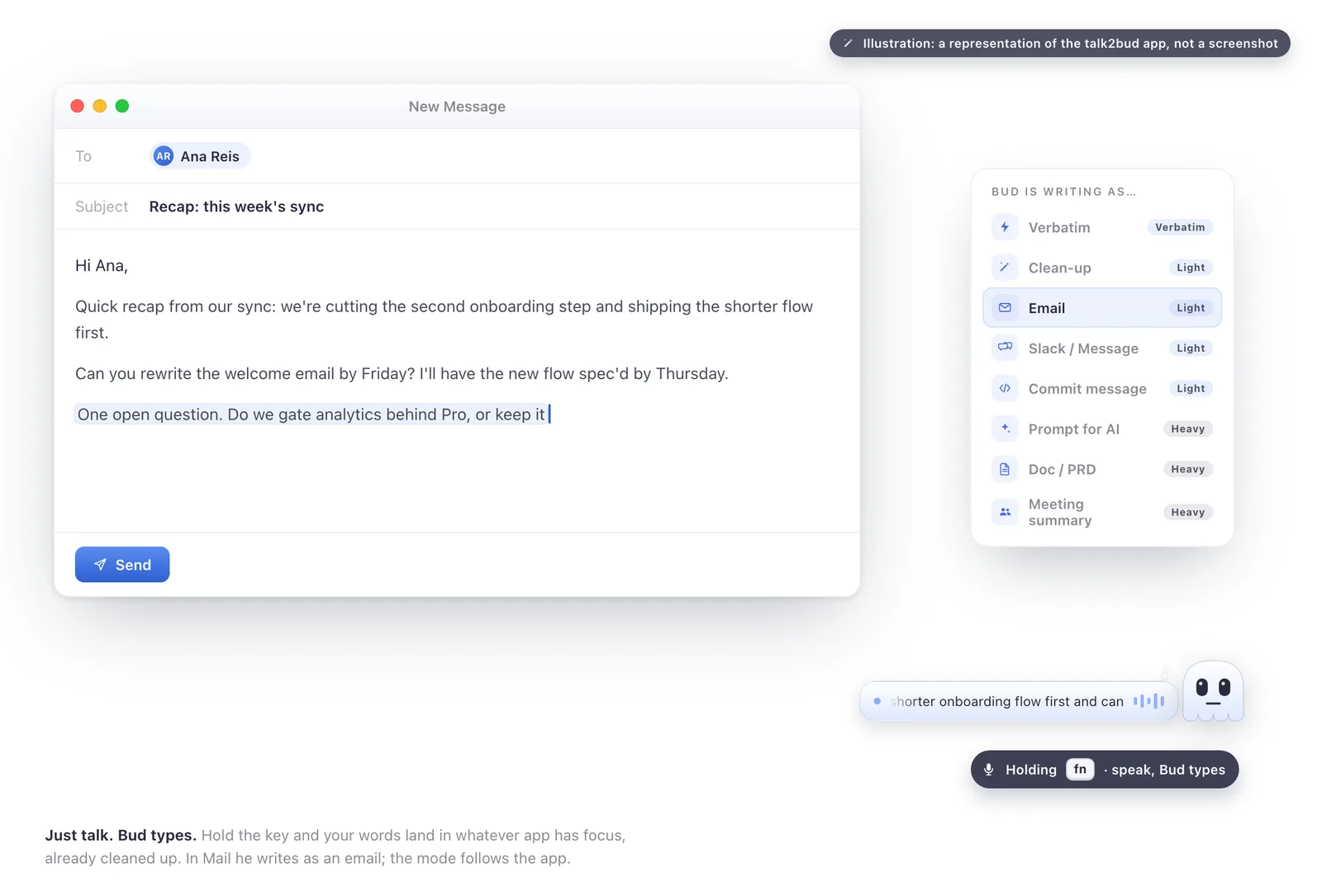
The focus is deliberate, and worth stating plainly rather than hiding. talk2bud is a Mac app, and it writes in English. If your dictation has to move between a recorder and a paid typist on Windows, or into another language, the two-app route you already know is the right tool, and a browser dictation box like SpeechTexter has its place too. What talk2bud is built to do is make the spoken word finished text without a file ever leaving the Mac.
One case bends the rule, and it is common: sometimes your "dictation" is really a meeting, and the words you want are the ones other people said. talk2bud captures those from the call's own system audio, so no bot joins the meeting and no notetaker announces itself in the room. Capturing without a bot is a plumbing choice, never a licence to record on the quiet: it is only honest when you still tell the call you are recording, which is why the app keeps consent an explicit step. Once the call is captured, you point a Lens, a playbook for that kind of meeting, at the transcript, and get back what was decided and who owns what, instead of a raw wall of speech.
Answers To The Express Dictate Questions Buyers Ask
Is Express Dictate free? Express Dictate has a free version and a 14-day trial, and you must register a paid licence to keep using it past the trial for ongoing or commercial work. Capterra lists Express Dictate starting at 99 US dollars per user as a one-time purchase, verified August 2026. Prices change, so confirm the current figure on NCH's own purchase page before you buy.
Does Express Dictate turn my dictation into text? No. Express Dictate only records and sends audio. The transcript is created at the receiving end in Express Scribe, either by a typist or by that app's speech-to-text engine, which pastes the result into its Notes box. If you expected words out of Express Dictate on its own, that step lives in Express Scribe instead.
What is the difference between Express Dictate and Express Scribe? Express Dictate is the recorder you dictate into; Express Scribe is the transcription player the typist uses to play the audio back and type it up. They are two separate NCH programs meant to work as a pair, one on each side of the handoff. You record in Express Dictate, send the file, and the words become text in Express Scribe.
What file formats does Express Dictate record, and who can open them? Express Dictate records to wav, mp3, and dct. A dct file is compact and can be encrypted, but it opens only in NCH software such as Express Scribe, while an mp3 plays in almost anything, including services you might not want holding your audio. Choose dct when Express Scribe is the destination, and mp3 when the audio goes anywhere else.
Does Express Dictate work on Mac? Yes. Express Dictate runs on macOS (NCH lists macOS 10.5 or above) as well as Windows, with iPhone and Android versions for recording on the move. The Mac app records and delivers dictation the same way the Windows one does, and the same handoff to Express Scribe applies.
Where These Facts Come From
Every product detail here was read from a primary source, not from memory or from a review roundup. The recording behaviour, formats, delivery routes and encryption claim come from NCH's Express Dictate product page. The dependency on Express Scribe and its speech-to-text step come from NCH's transcription how-to and its Express Scribe speech-to-text options. Pricing and the user notes are from the Capterra listing. Verified August 2026; pricing and versions change, so check the source before you rely on a number.
Pick Your Path In Three Lines
If you have a typist and a foot pedal, set Express Dictate to dct, turn on encryption, and let Express Scribe be where the text appears.
If you just want your own audio typed up, record to mp3 so any transcription tool can read it, and skip the parts of the two-app loop you do not need.
If what you really want is to speak and watch usable text show up in the app you already have open, with nothing sent off your Mac, that is a different setup entirely, and it sits alongside the other voice-to-text tools we cover. Try it once the honest way: dictate a single paragraph the way you actually talk, and see whether it is usable before you have moved a file anywhere.