The Best AI Meeting Assistant, Decided By How It Captures
Ten tools compared on the criterion the listicles skip, plus the five-seat arithmetic nobody publishes.
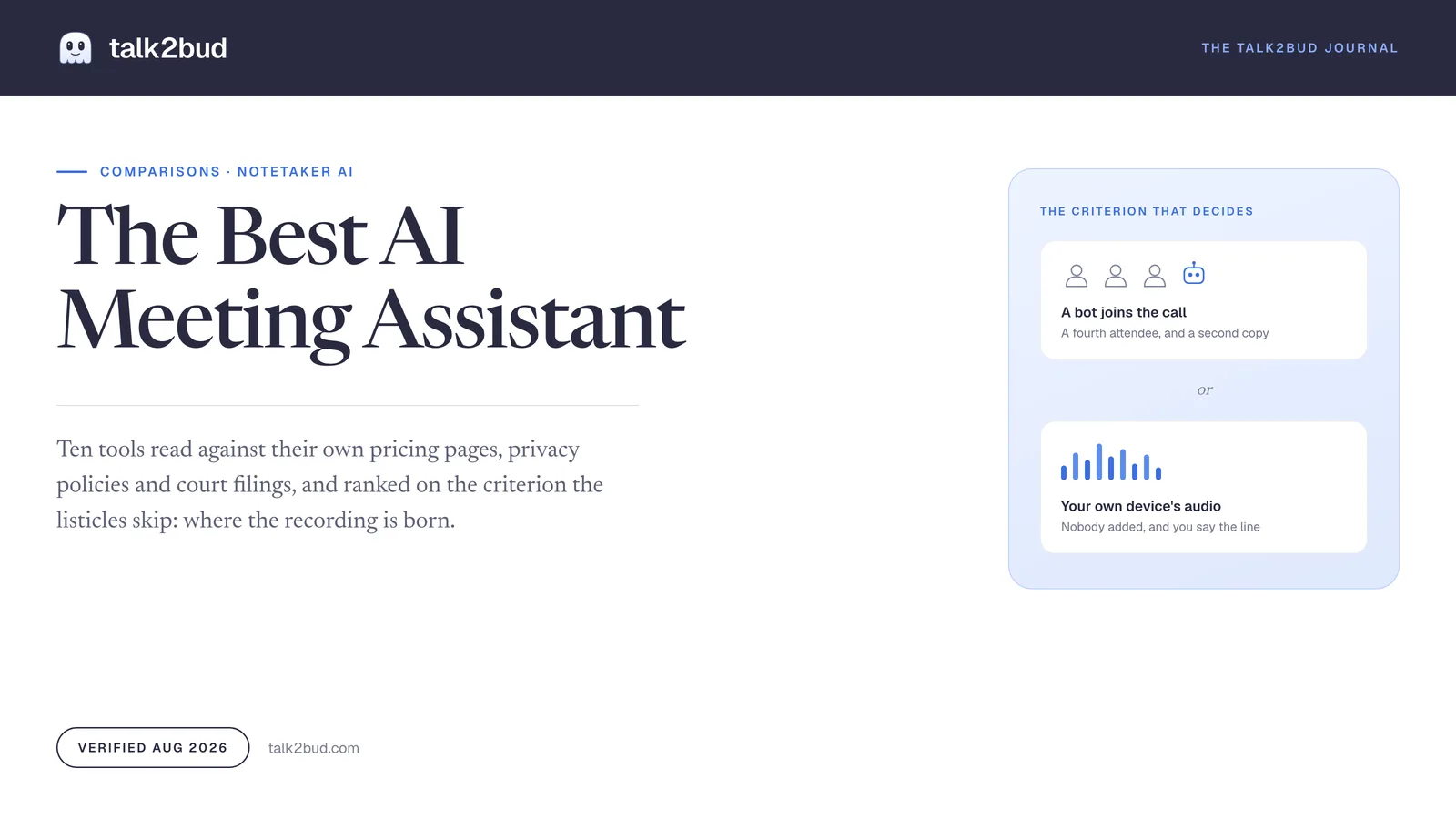
Best AI Meeting Assistant: The Criterion That Actually Decides
Every ranking of the best AI meeting assistant is built on transcription accuracy, and accuracy is the one line you cannot check. Vendors all claim a number north of 95 percent, none publish the audio they measured it on, and a mangled surname costs eight seconds to fix.
What decides is where the recording is born. Either the assistant dials into your meeting as a visible guest that anyone can see and any host can eject, or it listens to the audio already playing on your own machine while you tell the room what you are doing. That choice sets whose permission the tool needs, which meetings you can bring it into at all, and who else ends up holding a copy of the conversation. It is also the only criterion here with a court docket attached.
Short answer. For sensitive calls and 1:1s on a Mac, talk2bud captures from system audio with no participant joining, and keeps the consent step explicit. Granola does the same across Windows and mobile. Fathom has the most usable free plan. Otter and Fireflies remain the strongest bot-based picks. Zoom and Teams customers may already own one.
The Verdict, By Who You Are
Read the line that matches your week and stop. The rest of this page is the evidence under it.
- You run 1:1s, interviews, or client escalations a bot would sour. talk2bud. Nothing appears in the attendee list, because the call is captured from your Mac's own audio, and the disclosure stays with you instead of a guest icon. Skipping the bot is not a licence to record quietly, so you still say the line out loud, and the app keeps consent as a step rather than a footnote.
- Your team is on Windows and you still want capture without a guest. Granola. Same trick, on macOS, Windows, iOS and Android.
- You want a free tier that is genuinely usable. Fathom. Recording and transcription are unlimited there; only its Ask Fathom assistant is restricted.
- You already pay for Zoom or Microsoft Teams. Check the invoice first. Zoom AI Companion comes with paid accounts, and Teams intelligent recap arrives with a Teams Premium or Copilot licence.
- Meeting data has to feed a revenue process. Avoma, where conversation intelligence and lead routing are sold on top of the recorder seat.
- You need the widest platform reach and a bot is acceptable. Otter or Fireflies. Both are mature, both send a participant into the call, and that participant is the conversation you are about to have with legal.
How This Comparison Was Built
Nothing on this page was bench-tested. Nobody ran forty calls through ten tools with a stopwatch, and a page claiming it did should show you the recordings. Every price, cap and policy line below was read off the vendor's own page on 13 August 2026, then cross-read against two active lawsuits, one university IT article, and dated public reviews.
Six criteria carry the weight, chosen for someone who runs real meetings with other people's words in them.
| Criterion | Weight | Scored from |
|---|---|---|
| Capture model and consent surface | 30% | Whether a participant joins, whose permission is requested, who can refuse |
| Data handling and training policy | 20% | The published privacy policy, with its update date |
| Real cost at five seats for a year | 20% | List price, annual billing, multiplied out |
| What the notes are graded against | 15% | Generic recap, or a criteria set you define |
| Platform and reach | 10% | Operating systems, mobile, meeting platforms |
| Track record in 2026 | 5% | Litigation, disclosed exposures, controls that changed |
Accuracy sits at zero weight, and that is the loudest choice on this page. Every vendor claims the same range, no one publishes a reproducible test set, and transcript errors are cheap to repair. A consent problem is not.
Three limits belong on the record, since a comparison hiding its own is worth less than one that names them. talk2bud publishes this page, so the honest form of that is naming exactly where it loses and to whom, which the table below and a later section both do. These are list prices, not what procurement negotiates at fifty seats. And tl;dv is covered on one dimension only, a documented data exposure, with no cost figure claimed for it.
The Criterion Nobody Ranks: Where The Recording Is Born
Most rankings treat bot versus no bot as etiquette, worth a sentence about clients finding the little robot icon strange. One competitor page weighs it at 15 percent under customer perception. That framing is a decade out of date, because in 2026 the capture model is what a court, an IT department and the other seven people on the call are all arguing about.
Start with the filings. In Brewer v. Otter.ai, brought in the Northern District of California in August 2025 and now consolidated as In re Otter.AI Privacy Litigation, the central mechanical claim is about permission architecture: Otter "seeks permission only from the meeting host, and even then, only if the host is not themselves an Otter user," and "other participants cannot disable the tool," per a legal analysis of notetaker liability from April 2026. A motion to dismiss was heard in May 2026 and is pending. Whatever the ruling, the design described is one where the person recorded has no switch. Six months later came Cruz v. Fireflies.AI Corp., filed in Illinois under the Biometric Information Privacy Act by a plaintiff who never had a Fireflies account. She was on a call somebody else brought the bot to, and the claim turns on voiceprints collected without written notice.
The obvious fix is to have IT block the bots. A University of Wisconsin-Madison IT article from February 2026 is refreshingly direct about how that goes: the account-wide setting "is not consistently blocking recently configured third-party AI assistant bots," and support is limited by "the significant number of available AI assistant bot apps and limited admin tools." A control that works most of the time, against a category adding a vendor every quarter, is not a control.
Practitioners arrive at the same place from the other direction. On Hacker News in August 2026, one commenter described a colleague who "had figured out how to split the audio on his mac to record the meeting" without the others knowing, then added: "It's amazing how many people don't think that 'AI Notetaker' is the same as 'I secretly recorded this'". Another named the structural version: "It's a weakest-link problem. It doesn't matter if you don't use a note taker AI, if even one person on the call uses one." A consultant in the same thread priced it: "I'm very intrigued by AI note takers, but I'm absolutely unwilling to expose me or my clients to this exact problem."
So the two capture models stop looking like preferences. A bot broadcasts that a recording exists, which is genuinely useful, and it also creates a second account, a second copy, and a permission question you cannot answer on everyone else's behalf. Device capture drops the guest and the second copy, and hands the disclosure back to you.
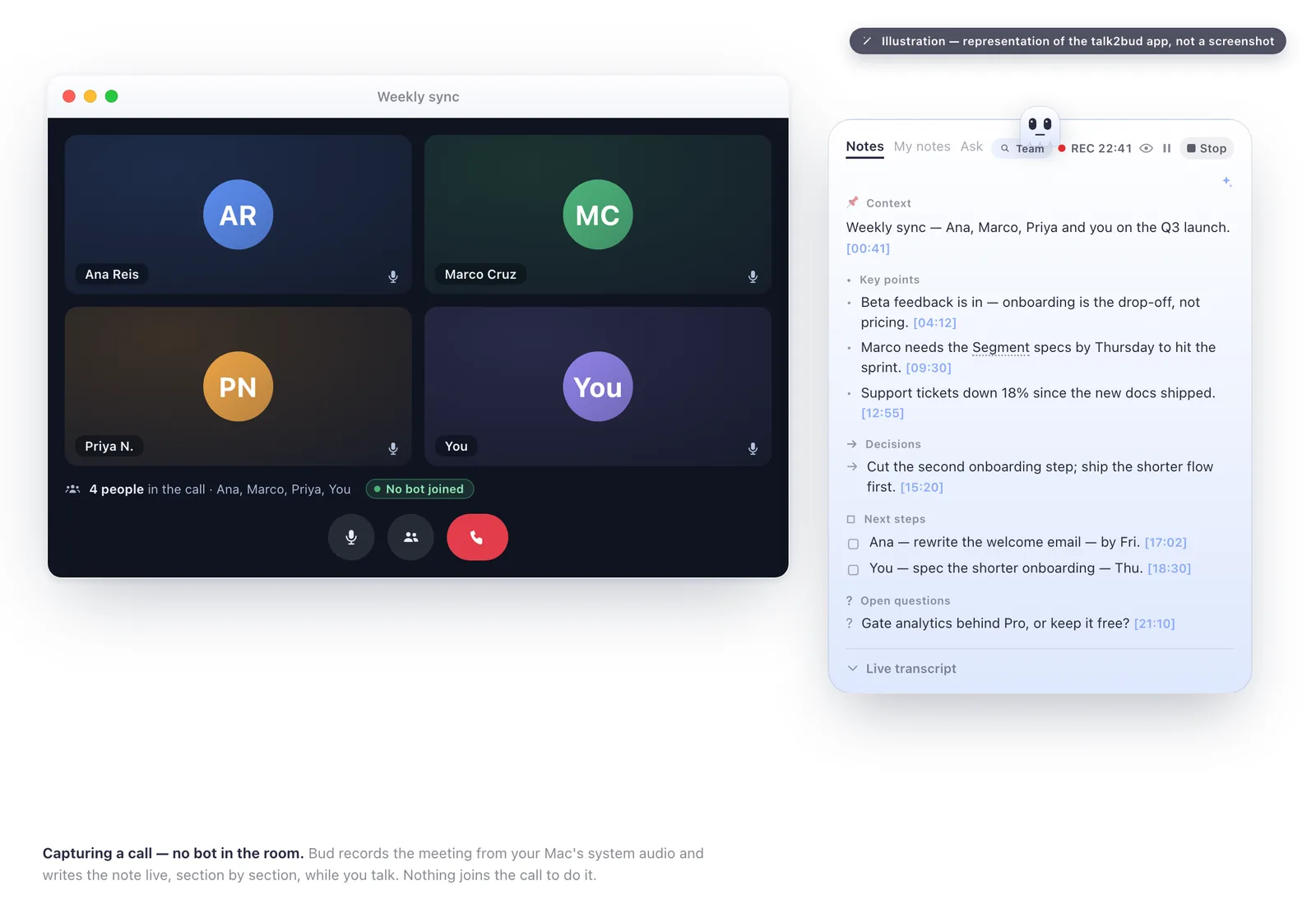
That second model is what talk2bud is built on. It listens to what your Mac is already playing, so no host has to admit a guest, and the honest half of that sentence is the half people skip. Recording without a bot is not recording in secret. Because the disclosure is now your job rather than a robot's, the app keeps consent inside the flow, and the working version is one sentence at the top of the call: "I record these so I can listen instead of typing, all right with you?" Said out loud, that beats an icon nobody read.
The Master Table
Rows are tools. Columns are what changes your answer, not feature counts. Read at source on 13 August 2026.
| Tool | Capture | Permission it asks for | Trains on your content? | Runs on | 5 seats, 1 year |
|---|---|---|---|---|---|
| talk2bud | Mac system audio, nothing joins | Yours, with an explicit consent step | Transcription goes through the OpenAI API, whose data does not train their models | Mac (Apple Silicon), English | See what talk2bud costs |
| Granola | Computer audio, no bot invited | Yours | No claim either way in its public pages | macOS, Windows, iOS, Android | $840 (Business) |
| Fathom | Bot by default; bot-free beta on Mac, revocable by an admin | Host, unless bot-free is running | Nothing stated on the pages read | Mac, Windows, web | $900 (Team, annual) |
| Otter.ai | Bot joins as a participant | Host only, per the Brewer complaint; others cannot switch it off | Yes: de-identified audio and transcriptions, per its June 2026 policy | Web, iOS, Android | $1,199 (Business, annual) |
| Fireflies.ai | Bot joins, often auto-joining from your calendar | Whatever the host's calendar settings say | No model training on personal information, but providers may extract Voice Data | Web, iOS, Android | $600 (Pro, annual) |
| Avoma | Bot joins the call | Host | No training statement found | Web | $1,140 recorders, $2,880 with intelligence |
| Read AI | Bot joins, plus engagement scoring | Host | Silent on the question | Web, Zoom, Teams, Meet | $900 (Pro, annual) |
| Zoom AI Companion | Built into Zoom, no extra guest | Zoom's in-meeting notice | No, Zoom states it does not train on customer content | Zoom clients | $0 with paid Zoom accounts |
| Teams recap | Built into Teams | The Teams recording notice | Not addressed in the admin docs | Microsoft Teams | $600 (Teams Premium), Copilot extra |
Two rows deserve a second look. talk2bud loses the platform row outright to Granola, which pulls off the same guest-free capture and still runs on Windows, iOS and Android, and it loses the free-plan row to Fathom, which records and transcribes without limits at zero. What it wins is the column most rankings do not print: capture with nobody added to the call, consent kept in front of you, dictation and meetings in one Mac app, and notes graded against criteria you wrote.
What Five Seats Actually Cost In A Year
None of the pages ranking for this term does the arithmetic, which is odd, because the arithmetic is where the decision usually lands. Each plan's own per-seat list price, multiplied out to five seats over twelve months on annual billing.
| Plan | Per seat | Five seats, one year | What that leaves out |
|---|---|---|---|
| Fathom, Free | $0 | $0 | Ask Fathom is limited; no audio-file upload |
| Zoom AI Companion | $0 extra | $0 | Needs paid Zoom accounts, covers Zoom only |
| Otter, Pro | $8.33/mo | $499.80 | 1,200 minutes a month, 90 minutes per meeting |
| Fireflies, Pro | $10/mo | $600 | Transcription unlimited, storage stops at 8,000 minutes |
| Teams Premium | $10/mo | $600 | Audio recap requires a Copilot licence on top |
| Granola, Business | $14/mo | $840 | The free plan below it keeps only 30 days of notes |
| Fathom, Team | $15/mo | $900 | Two-seat minimum; the bot-free mode is Mac-only |
| Read AI, Pro | $15/mo | $900 | Its free plan runs out after five transcripts |
| Avoma, Startup | $19/mo per recorder | $1,140 | Viewers cost nothing, conversation intelligence is extra |
| Fireflies, Business | $19/mo | $1,140 | 30 AI credits per seat per month |
| Otter, Business | $19.99/mo | $1,199.40 | "Unlimited" still stops four hours into one meeting |
| Avoma + conversation intelligence | $19 + $29/mo | $2,880 | Revenue intelligence and lead routing are two more add-ons |
The spread between the cheapest paid tier and Avoma fully loaded is nearly six to one, which means "AI meeting assistant" is doing too much work as a product category. Monthly billing roughly doubles several of them, since Otter Business is $30 paid monthly against $19.99 annually, and Fireflies Pro is $18 against $10. And two of the better options add nothing to the bill, because they sit inside a subscription most companies already pay for.
What talk2bud costs lives on its pricing page instead of in this table, for the same reason every figure above carries a date. The comparison worth making is per seat per year against those numbers, on a plan covering both meeting capture and dictation rather than splitting them across two vendors.
The Ten Assistants, Read Against Their Own Documents
Otter.ai
Otter earns its name recognition with breadth: web, iOS and Android, a free tier at 300 minutes a month, and a mature transcription engine. Pro is $16.99 monthly or $8.33 billed annually with 1,200 minutes; Business is $30 or $19.99 annually.
The break sits upstream of the transcript. Its privacy policy, updated 16 June 2026, describes "training our proprietary AI technology on de-identified audio recordings and on transcriptions (which may contain Personal Information)." Set that beside the permission architecture in the Brewer complaint and you have this year's procurement questions. A May 2025 review adds a duller one: "Otter rarely captured the real next steps or key takeaways from meetings" (Capterra). Best for teams needing reach who can answer the consent question for everyone in the room.
Fireflies.ai
Fireflies has the deepest integration story among bot-based tools and the friendliest entry price: $10 per seat monthly billed annually on Pro, $19 on Business, transcription described as unlimited at every tier. Its privacy policy, updated 6 March 2026, states plainly: "We do not use personal information for AI model training."
The same document holds the sentence that put the company in court. Service providers "may use voice recordings to extract or generate data about participants' voice characteristics," and that Voice Data "may be considered 'biometric identifiers'... in some jurisdictions." The operational gripe is quieter: auto-join dropping a bot into private 1:1s, and a July 2026 reviewer noting "the bot joining calls can also feel intrusive in more sensitive or informal conversations" (reviews on Capterra). Best for revenue teams already living in a CRM.
Fathom
Fathom runs the most generous free plan here, unlimited recording and transcription with only its AI assistant restricted, and paid tiers from $15 per seat monthly on Team billed annually. It also shipped the thing everyone else is copying: a bot-free capture mode taking "audio directly from the device" rather than "joining the meeting as a visible participant," with speaker attribution intact.
Two limits sit on that. The mode is in beta and currently Mac-only, and its changelog records something sharper in August 2026: organisation admins can now block bot-free capture company-wide, and when they do, "all meetings use a bot regardless of individual preferences." The property your privacy case rests on is a setting someone else owns. Reviewers add the ordinary stuff: a July 2026 note that it "does not always get everything exactly right, especially if people are talking over each other" (its Capterra page), no audio upload, no mobile app. Best for a small team wanting a serious free tier today.
Granola
Granola is the closest competitor to the argument on this page, and it deserves the credit. The product uses your computer audio "so doesn't invite a bot", and during 2026 it stopped being Mac-only: macOS, Windows, iOS and Android. Business runs $14 per user monthly, Enterprise $35. The catch is the free plan, which its help centre describes honestly: unlimited meetings, access to only the last 30 days of notes. Its model also centres on enhancing notes you type rather than grading a call against criteria you set. Best for a mixed-platform team that wants capture without a guest.
Avoma
Avoma is the most enterprise-shaped product here, and the only pricing page needing a second read. Seats are sold per "recorder", viewers are free, and Startup runs $19 monthly billed annually against $29 month to month. Then the modules: conversation intelligence at $29 per seat monthly, revenue intelligence at another $29, lead router at $19. The features people assume they are buying when they hear about meeting intelligence are the add-ons, not the base plan, which is how a $1,140 line becomes $2,880 before anyone notices. It sends a bot, so every consent question above applies unchanged. Best for sales organisations that will genuinely use the revenue layer.
Read AI
Read AI spans meetings, email and messages, reporting engagement and sentiment alongside the transcript. Pro is $15 monthly billed annually, Enterprise $22.50. Read the free plan carefully: five meeting transcripts a month, an hour each, which is a demonstration rather than a working tier. A bot joins like the others, and the engagement scoring that makes the product distinctive is the feature most likely to unsettle a participant who learns a tool graded their attention.
tl;dv
tl;dv is here for one reason, and it is why every "enterprise-grade security" bullet in this category deserves a slow read. In August 2026 a security researcher published a disclosure describing 181,874 meetings, 84,312 users and 35,003 domains reachable through the platform, with exposed fields including creator email addresses, conference IDs for accessible Meet and Teams rooms, and recording status. His summary: "Any authenticated tl;dv user can query every meeting across every account on the platform."
The timeline should shape any purchase. It went to the vendor on 28 January 2026, drew no response from the CTO, and remained open on 22 July 2026 before going public and being covered in the security press. Two of the five pages currently ranking for this keyword still recommend the tool, one of them for compliance specifically.
Zoom AI Companion And Teams Intelligent Recap
The cheapest good answer may already be paid for. Zoom's newsroom states AI Companion is "available at no additional cost with paid Zoom user accounts", it summarises without a guest joining, and Zoom is explicit on the question that trips its competitors: it does not use customer audio, video, chat, screen sharing or attachments to train its own or third-party models.
Teams recap delivers AI notes, tasks, a speaker timeline and chapters, and its licensing is where people get caught. Microsoft's documentation (updated July 2026) is precise: "You must assign a Teams Premium license or Microsoft 365 Copilot license to your users. For audio recap, you must assign a Microsoft 365 Copilot license." Teams Premium is $10 per user monthly, paid yearly, so the recap most people mean runs $600 a year for five people. Both are excellent inside their own platform and absent outside it, so a team running half its calls in Meet gets half a solution.
talk2bud
talk2bud is a Mac app (Apple Silicon) with an English interface, and it takes the opposite side of the category's central bet. The conversation is captured from the audio your Mac is already playing, so no participant is added and no host has to admit anyone, and the disclosure stays a human step you take rather than an icon somebody might spot. Capture with nobody in the room is not capture in secret, and the app's consent flow is explicit for that exact reason. Two things follow from being an app on your machine instead of a service in a tab. Audio is deleted automatically three days after transcription, and transcription runs through the OpenAI API, whose data is not used for training their models. Dictation lives in the same app, so speaking a follow-up email into finished text and capturing the meeting it came from are one subscription rather than two.
Where it breaks, said plainly: no Windows, no Android, no mobile app, English only, and no free-forever tier. A section below names who should buy something else instead. The narrowness is the point, though, and what it buys is the meeting you would never invite a stranger into.
The Traps This Category Sets
Six patterns repeat across these pricing pages, and each costs somebody money or trust every quarter.
"Unlimited" with a ceiling. Otter's Business tier promises unlimited transcription, then caps any one meeting at four hours. A workshop, an offsite, or a long incident call gets clipped by a word that promised otherwise.
Storage minutes hiding behind unlimited transcription. Fireflies transcribes without limit at every tier, then caps storage at 400 minutes for a whole team on Free and 8,000 minutes per seat on Pro. A June 2026 reviewer described the result: "once the limit is reached, all transcription stops."
Free tiers that are demos. Read AI gives you five transcripts a month. Granola offers unlimited meetings with a 30-day memory, so the note you need for a March renewal is gone by May. Fathom is the honourable exception.
Seat words that do not mean seats. Avoma charges per recorder and gives viewers away, which reads cheap until conversation intelligence turns out to be a $29 per-seat module.
The licence already on your invoice. Before comparing anything above, check whether the company pays for Zoom or Teams Premium. Buying a third notetaker to repeat what an existing subscription does is the commonest waste here.
Security claims with no track record under them. The tl;dv disclosure is the clean example: six months from vendor report to public write-up, still open, on a platform routinely recommended for compliance. The newest variant is the revocable feature, since Fathom's bot-free mode is real and good and, since August 2026, switchable off for everyone by an admin you may not be.
What The Summary Is Graded Against
Every tool here returns a summary and a list of action items. No ranking asks the obvious follow-up, which is what that summary was graded against. The answer, almost always, is nothing. The model was asked for a generic recap, so it returns the middle of the distribution: whatever got the most airtime, the sentences that sounded like commitments, an occasional decision.
Which is why the commonest complaint in this category is not a wrong transcript but a missed point. The Otter reviewer quoted earlier wanted the real next steps and got a summary of the conversation. A generic recap cannot know that in your renewal calls what counts is whether the customer named a number, or that in your interviews what counts is whether the candidate gave evidence instead of a claim.
A Lens in talk2bud is that missing criteria set. You pick one of the built-in call lenses (sales call, team sync, 1:1, client discovery, interview) or duplicate one, write your own playbook into it, and the app grades the transcript against those instructions when the call ends. The analysis comes back sectioned, with the owners and deadlines that were said out loud, and the discipline that makes a scoring rubric survive a second reviewer applies here too: every score points at a line from the conversation.
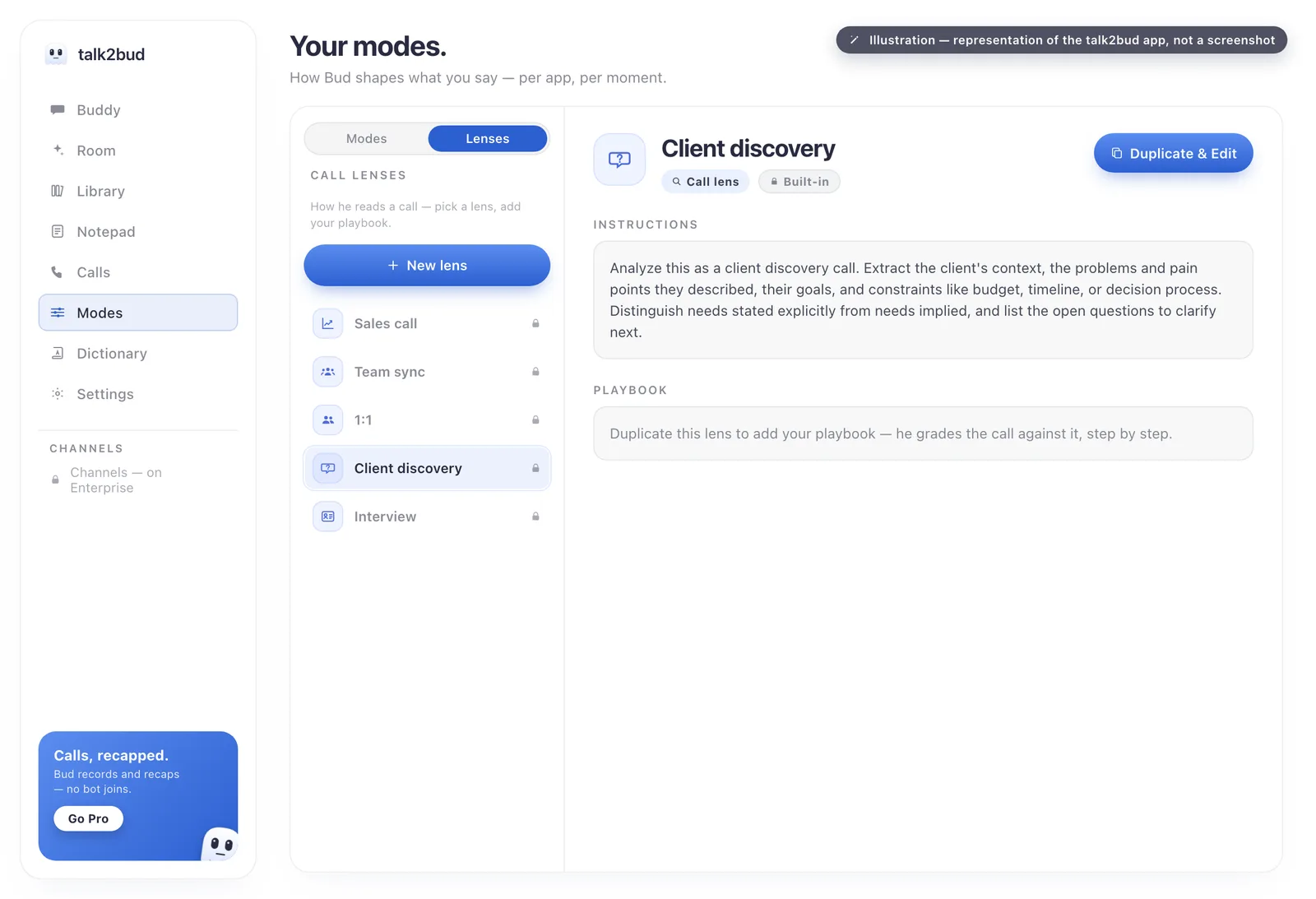
One team rule is worth copying whichever tool you pick. In talk2bud, a 1:1 never lands in a shared Channel by default, because a private conversation does not become team property just because software wrote it down. Any product that pipes every recap into a shared space by default has made that call for you.
Where talk2bud Is Not The Pick
Five situations where another name on this page is the better buy.
- Your team is on Windows or Android. Granola does guest-free capture across macOS, Windows, iOS and Android. talk2bud is Mac-only.
- You need a tool that stays free. Fathom's free plan records and transcribes without caps. talk2bud runs a 10-day trial, then a subscription.
- You want the visible bot as your notification. For some teams the guest in the attendee list is the disclosure mechanism, and that is a legitimate design. Otter and Fireflies do it well.
- Meeting notes have to drive a revenue process. Avoma's conversation and revenue intelligence, and Fireflies' CRM integrations, exist for that job.
- You work in a language other than English. talk2bud's interface and dictation are English today. A localised tool will serve you better.
Decide In Five Minutes
Work down the list and stop at the first line that describes you.
- If your calendar carries 1:1s, interviews, legal matters or client escalations, rule out every bot-based tool before comparing anything else. That leaves talk2bud on Mac and Granola across platforms.
- If that applies and your team mixes Mac with Windows, take Granola. If everyone is on a Mac and you dictate as well as meet, take talk2bud, where both live in one app.
- If the meetings you care about all happen in Zoom, start with AI Companion, which paid Zoom accounts already include. Same logic for Teams with a Premium licence.
- If budget binds and a bot is acceptable, run Fathom's free plan and spend nothing until it stops fitting.
- If meetings feed pipeline reporting, price Avoma with the conversation intelligence module included, then set that total against Fireflies Business.
- If nothing above settled it, the tie-breaker is not a feature list. Ask which meetings you would be uncomfortable having a stranger sit in on, and buy for those.
Frequently Asked Questions
What is the best AI meeting assistant in 2026?
No single tool wins this category in 2026, because the answer depends on how the assistant captures your meetings. Otter, Fireflies, Avoma and Read AI lead on reach and integrations, while talk2bud (Mac) and Granola (Mac, Windows, mobile) record from device audio with nobody joining the call. Fathom has the strongest free plan, and Zoom AI Companion or Microsoft Teams intelligent recap may already sit inside subscriptions you hold.
Which AI meeting assistant works without a bot in the call?
Four options record a meeting without sending a participant into it. talk2bud captures from a Mac's system audio and keeps an explicit consent step; Granola uses your computer audio on macOS, Windows, iOS and Android; Fathom has a bot-free beta that is Mac-only and, since August 2026, blockable by an organisation admin; and Zoom's AI Companion and Microsoft Teams intelligent recap work natively inside their own platforms. Recording without a bot still means telling the other people in the meeting.
Bot note takers keep getting blocked by meeting hosts. What can I do?
Move to a product that captures from your own device instead of joining the meeting, such as talk2bud on a Mac or Granola on Mac and Windows, since neither needs a host to admit a participant. Blocking is common and unreliable at once: a University of Wisconsin-Madison IT page from February 2026 reports that its account-wide setting does not consistently stop newly configured third-party assistant bots. Device capture comes with one duty attached, which is announcing the recording yourself.
How accurate are AI meeting transcriptions in 2026?
Most AI meeting assistants claim transcription accuracy above 95 percent in clean audio, and no major vendor publishes a reproducible test set, so treat the figure as marketing rather than measurement. Public reviews agree on where accuracy really slips: strong accents, people speaking over each other, and unusual product or person names. Since transcript errors take seconds to correct while consent problems do not, accuracy is a weak basis for choosing.
Can these tools work with in-person meetings?
Assistants that join meetings as a bot cannot cover an in-person meeting, because there is no virtual call for the bot to enter. Device-audio products, talk2bud on a Mac and Granola among them, are built for the audio of an online call playing through your computer, which means a remote meeting rather than a conversation across a physical table. A room full of people needs a microphone recording plus a product that accepts an uploaded audio file.
Can AI meeting notes replace a dedicated note-taker or EA?
AI meeting notes replace the transcription and summary work, not the judgement. These products reliably produce a transcript, a recap, and a task list with owners when the owners were named out loud. What they do not do is chase people afterwards, decide which of forty items matters, or read a room. A tool with a criteria set behind it, such as a talk2bud Lens graded against your own playbook, gets closer, because it scores against what you said mattered.
The One Thing To Do Next
Comparison pages are easy to read and easy to forget, so here is the single move that settles this. Take the next real meeting on your calendar, tell the other people you are recording it, capture it with talk2bud so that nobody is added to the call, and read the analysis it hands back against a Lens instead of trusting your memory. The 10-day trial takes no card, and one real conversation will tell you more than any table on this page, including mine.
Verified August 2026. Prices, caps and policies were read on 13 August 2026 from the pricing and privacy pages of Otter, Fireflies, Fathom, Granola, Avoma, Read AI, Microsoft and Zoom. Litigation details come from the public complaint in Cruz v. Fireflies.AI Corp. and from published legal analysis of In re Otter.AI Privacy Litigation, which is pending and undecided; the tl;dv figures come from the researcher's disclosure and the security-press coverage that followed. List prices only, and they move. For the wider picture, see how system-audio capture records a call without a bot, or the companion comparison of note-taking apps for students.