The Fathom Notetaker On Zoom Is Free. The Bot Is The Bill.
Four capture modes, one Mac-only rollout, two switches behind the paywall, and the prices read at source. Verified August 2026.
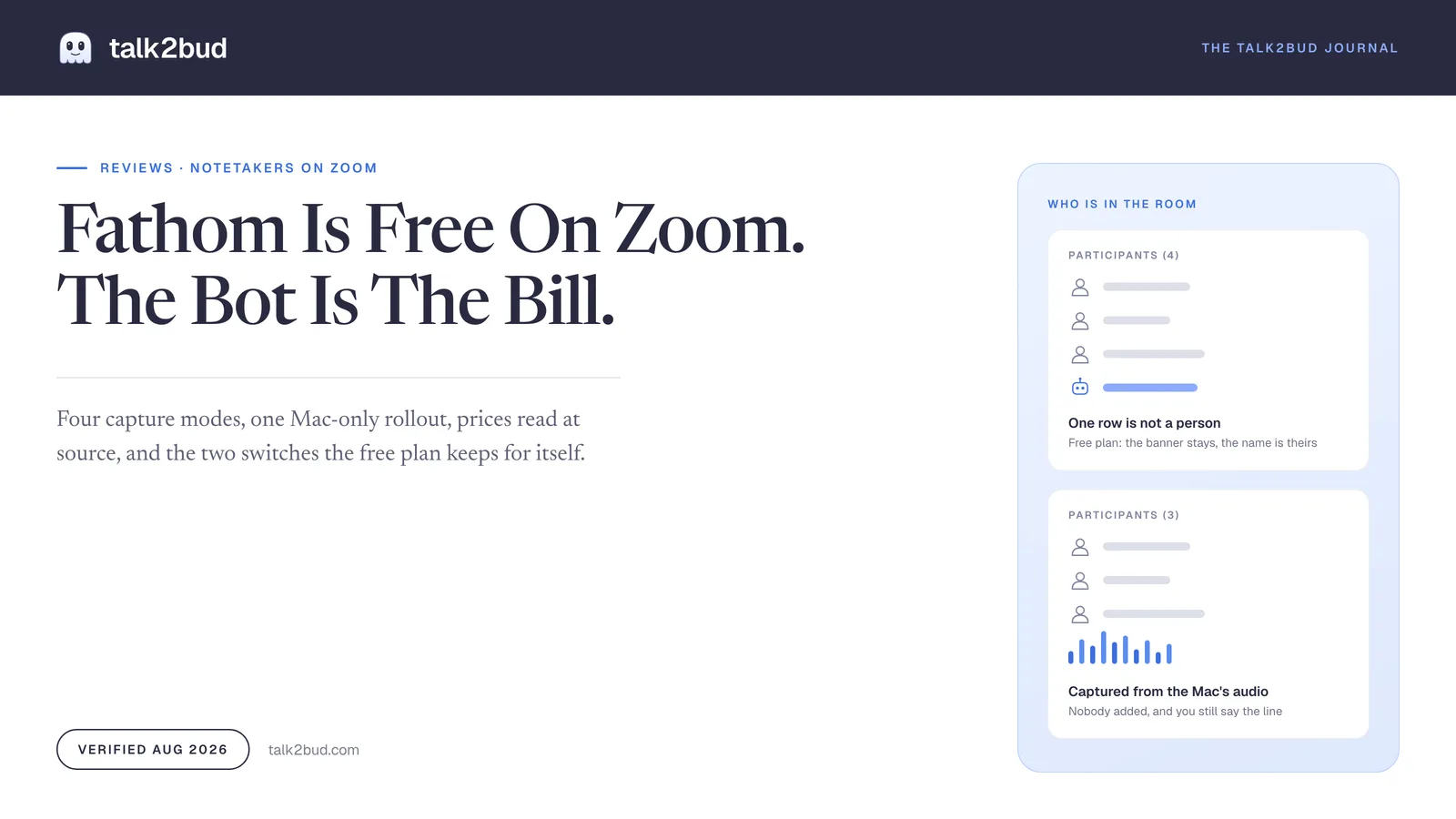
The Fathom notetaker records and transcribes as many Zoom calls as you can hold, in 38 languages, for $0. The first thing it charges for is $16 a month, and that money does not buy sharper notes. Premium is where "removing in-meeting banners and renaming the meeting bot" live, according to Fathom's own free versus premium page, read at source on 13 August 2026. On the free plan, the thing that walks into someone else's meeting carrying a name you did not choose is not yours to configure.
The verdict: this is one of the few genuinely free products in the category, and on internal Zoom calls it is worth installing today. The cost is paid in presence and processing rather than in dollars, which means a named participant in most setups and every sentence handled in a cloud hosted in the United States.
Take it if your calls are internal, you want a searchable archive without a bill, and a row in the attendee list bothers nobody. Think harder if your Zoom calls are client work, interviews or one to ones, if your team runs Windows and you came for the bot-free mode announced in April, or if "processed in the cloud" is a phrase your industry has opinions about.
What follows reads the free plan against the vendor's own documents, from a stated position. At talk2bud we think capture belongs to the machine already in the room rather than to a guest who has to be let in: the Mac takes the online call through its own system audio, and the attendee list never grows. That only stays honest if you tell the room what is running, which is the thread below.
What The Free Plan Actually Gets You
Free at Fathom is a plan rather than a countdown, and pretending otherwise would be dishonest reviewing. The pricing page lists unlimited recordings and transcriptions, instant AI call summaries, and clips, playlists and search across your calls, at $0 with no card. Transcription covers 38 languages. On Capterra the product holds 5.0 out of 5 across 809 verified reviews as of 13 August 2026, and the praise is consistent about the thing that matters most: the recap lands seconds after the last person hangs up.
One design decision deserves more credit than it gets. Fathom's help centre states that it "can only record a Zoom, Microsoft Teams, or Google Meet call if you are also present on the call," and the notetaker leaves when the meeting ends. Compare that to the pattern universities keep warning about: UW-Madison's IT knowledge base, updated 9 April 2025, describes "uninvited third-party AI assistant bots discreetly joining their meetings" after somebody connects a calendar, the bot then attempting to "auto-join every virtual meeting" that person is invited to. Fathom's bot is a guest you bring, and it does not turn up to your calendar alone.
Which Fathom You Install Changes Who Can Record
Two products share the name, and the difference decides whether you can record at all.
The Fathom Zoom App, added from the Zoom App Marketplace and opened inside the meeting, requires you to "be the host of the meeting" and to "have a paid Zoom account," because the Zoom app does not work with free Zoom accounts. The Fathom desktop app carries neither condition: it "works whether you're the host or not" and "works with both free and paid Zoom accounts." A page currently ranking for this search assures readers that Zoom's permission model is loose enough for Fathom to just work, with no source attached, and the vendor's own quick start says otherwise for the in-Zoom version.
Two more conditions sit in the same document. Anyone still on the older build has needed to connect their Zoom account since 2 March 2026 for Fathom to join at all. And a set of meetings is out of scope entirely: no webinars, no breakout rooms, since Fathom "is designed to capture audio from the main meeting room only," and nothing without a meeting link, which rules out Zoom Phone. Bot mode also skips meetings above 250 attendees and meetings that require registration, while bot-free users "are not subject to limitations on meeting types, as Fathom isn't joining the call as an attendee."
What The Fathom Notetaker Puts Into A Zoom Call
Four capture modes ship today, and they are not interchangeable. The rows below come from Fathom's release page and its device compatibility article, both read on 13 August 2026.
| Capture mode | What everyone else sees | Where it runs today |
|---|---|---|
| Bot with full video and audio | A named participant in the list, plus a recording banner | Mac and Windows |
| Bot-free video | Nothing joins the meeting | Limited beta, Zoom only, Mac |
| Bot-free audio and transcript | Nothing joins; a Recording Notice posts into the meeting chat | Mac |
| Bot-free transcript only | Nothing joins; no recording file is kept | Mac |
Fathom is admirably blunt about visibility. Its help centre states that "there's no way to silently record," that the banner "appears to all participants and cannot be hidden automatically," and, in the line most buyers miss, that "turning off the banner does not hide the bot from the participant list."
Whether that visibility is a problem is a question about your calls rather than about the software, and two reviewers prove it. Heidi G., a director of product marketing, wrote on 27 March 2025 that "I don't love that the notetaker is present like a guest in the Zoom." Aaron N., a director of account management, described the identical behaviour five weeks earlier, "it makes itself known by showing as a participant in the meeting," and filed it as acceptable. One mechanism, two verdicts, both honest.
Bot-Free Shipped On One Operating System
Fathom launched bot-free capture on 15 April 2026, positioned by TechCrunch as a move against Granola. The sharpest line in that coverage is the objection chief executive Richard White raised against the rest of the category: "A lot of these bot-less tools don't indicate who said what in their captured transcript." Speaker attribution is where device-level capture usually falls apart, so it is the right thing to interrogate in any tool promising to skip the bot.
The rollout is the caveat. Four months later the compatibility doc still reads "the new bot-free experience is currently available on Mac only," with Windows support "coming soon," and bot-free video on Zoom remains a limited beta handed out in batches. If your desk runs Windows, the mode you read about in the announcement is not the mode that installs this week. You get the bot, the banner and the extra row.
talk2bud made the same architectural bet with a narrower promise: a Mac app for Apple Silicon, built for English, taking the online call from system audio so nothing is sent into the meeting. Narrower, and finished. The consent question does not evaporate with the bot, and the next section is about who ends up carrying it.
The Consent Email Most Buyers Assume Is Running
Fathom ships a feature called Automatically Requesting Recording Consent, and it does something real: external guests are emailed 24 hours ahead, and "if an attendee declines consent, Fathom disables auto-record for the meeting as a safeguard." Few competitors offer anything comparable.
Read the conditions, though, because they are narrower than the name suggests. "Fathom does not send consent emails for same-day meetings." On Zoom specifically, "consent emails only go out if you have host privileges." Take the ordinary case of a client call booked at 9am for 3pm, on a link somebody else owns, with the setting switched on: nothing reaches anyone. What announces you is the banner and the extra row in the participant list, which is exactly the visibility the free plan will not let you adjust.
None of that is hidden, and none of it is a scandal. It is the shape of the feature, and knowing it beforehand is the difference between disclosure and assuming disclosure.
The Two Switches Behind The Paywall, And What They Cost
Fathom's free tier withholds three things, and two are unusual enough to name precisely.
The first is the in-meeting banner, whose removal is a Premium capability, with free described by the vendor as a "standard experience, no customizations." The second is the bot's name: "renaming the meeting bot" sits in the same Premium line, so on free the label carried into someone else's meeting is written by Fathom. The third is ordinary paywalling nobody should complain about: advanced summaries cover "your first 5 calls each month," after which only the general template remains, and action items, follow-up emails and the Ask Fathom assistant are Premium. New accounts get a 30-day preview of Premium, which is why month two feels thinner than month one.
Prices below were read from Fathom's pricing page on 13 August 2026. The annual column is arithmetic, not a quote.
| Plan | Monthly | Billed annually | Per seat, per year | The condition |
|---|---|---|---|---|
| Free | $0 | $0 | $0 | Five advanced summaries a month; no control of banner or bot name |
| Premium | $20 | $16 | $192 | Unlimited advanced summaries, action items, Ask Fathom |
| Team | $19 per user | $15 per user | $180 | Two-user minimum, so $360 a year at the smallest size |
| Business | $34 per user | $25 per user | $300 | Minimum two seats, which puts entry at $600; adds CRM field sync and scorecards |
| Enterprise | Custom | Custom | Custom | SSO, SCIM, retention programs |
Two lines cause most of the surprises. The team plans carry a two-seat floor, so a solo consultant who wants shared search is really being quoted $360 a year rather than $180. And CRM sync on the lower tiers is capped at three users per email domain, a limit measured by your company rather than by your account. Put the free row and the Premium row side by side and the deal is legible: $192 a year is the cheapest way to control how you appear in a meeting you did not convene.
If you would rather capture the same call with nothing joining it, what talk2bud costs is a different page and a different shape of decision, because there is no free forever tier here to set against Fathom's.
Where Every Sentence Goes After You Hang Up
This is the ten minutes of reading the setup guides skip. Fathom's privacy policy says the service collects "meeting audio, video, and speaker identification," along with recordings, transcripts, meeting content and "names and emails of meeting attendees." Sit with that last clause: the people on your call who never signed up for anything still become records inside it.
"Our Services are hosted in the United States," the policy says, reserving the right to transfer information elsewhere for storage and processing. Fathom may use "de-identified data generated from Meeting Content Information" to train and improve its own in-house models, with an opt-out in account settings, and it states plainly that it does "not authorize third parties (e.g., OpenAI, Anthropic, Google, etc)" to train their models on your meeting content. The security page adds HIPAA, SOC 2 Type II and GDPR compliance and a flat "we do not and will never sell your data to third parties." For a free product, that posture beats the category average.
One detail deserves a flag, because two Fathom documents publish two different numbers. The security page says that when you delete your account "all recording data and metadata are removed" and that "after an additional 7 days, all data is also removed from our backups." The privacy policy commits instead to deleting "your recordings and personal information within 30 days." Where deletion timing is a compliance question, that gap belongs in writing to their team rather than in a guess.
What Buyers Report Once The Novelty Wears Off
A 5.0 average across 809 reviews means the complaints below are a minority report, worth reading precisely because they are specific.
Accuracy has a known edge: Wren W., an owner, wrote on 13 July 2026 that "it does not always get everything exactly right, especially if people are talkin over each other or using specific names and terms." Caroline S., a consultant, flagged a gap on 24 January 2026 that anyone building a CRM record should know about, since "any links or notes shared in the chat are lost." If your Zoom chat carries the links that matter, keep saving the Zoom chat transcript separately whatever notetaker you run. Rachel R. reported on 8 May 2026 that "there are some bugs in terms of sharing recordings and granting access."
Nothing Joins The Call, So You Say It Out Loud
talk2bud takes the other route through the same problem. It captures the Zoom or Meet call from the Mac's own system audio, so the attendee list stays exactly as long as the guest list, and there is no banner to pay for because nothing announces itself.
Which is the whole reason the sentence becomes yours. No hidden bot is not the same thing as recording in secret, and the honest version of this workflow has you saying it in the first thirty seconds: "I have a notetaker running on my end, let me know if that is a problem." Zoom raises its indicator for recordings started inside Zoom and shows a bot that joins as a participant, and a capture running on your own machine sits outside both signals, so disclosure does not disappear when the bot does. It changes hands. The app treats consent as an explicit step for that reason, and the legal shape of the obligation varies by state and country more than most people expect.
After the call, the difference is what the transcript gets measured against. You pick a Lens, a small analysis playbook for a type of meeting, either a built-in or one you write from the sales or research process your team already runs, and talk2bud reads the transcript against it and hands back the analysis.
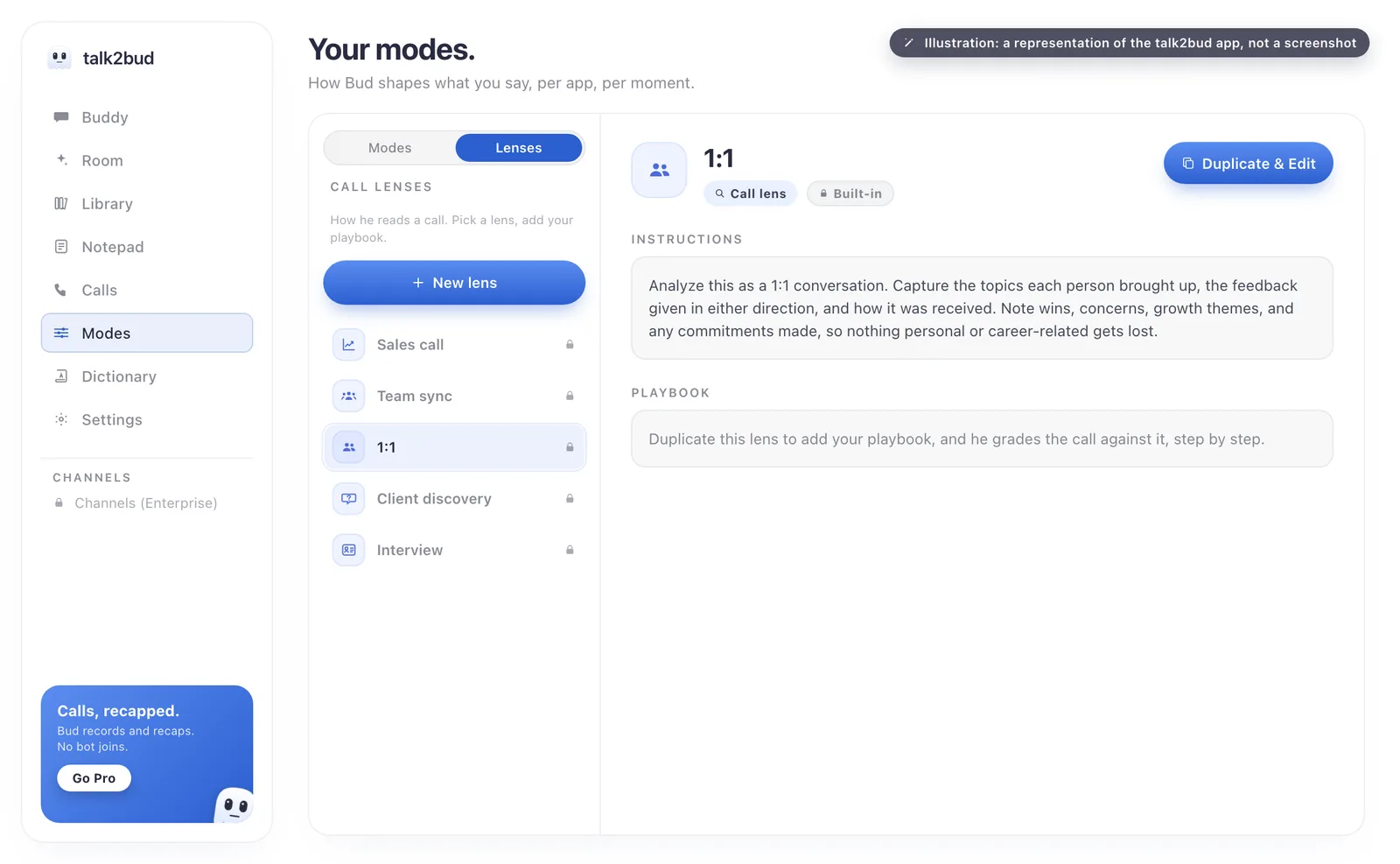
Two details matter for the reader this review is written for. A 1:1 stays with the two people who had it and is not pushed into a team Channel by default, the opposite of an archive that defaults to shared. And dictation lives in the same app, so speaking a finished message into whatever window has focus and capturing a meeting are one purchase rather than two. The limits are the focus: Mac with Apple Silicon, built for English, no free forever tier. It captures the conversation instead of blanketing every platform in the building.
The Scorecard, And The Five Rows Fathom Wins
Scores are 1 to 5 on what each product does today, verified August 2026. The last column names who to use when that row is the one deciding for you.
| What it decides | Fathom | talk2bud | If this row decides it |
|---|---|---|---|
| Nothing added to the participant list | 3, bot-free is Mac only and video is a limited beta | 5 | Either one, with the line said out loud |
| Works on Windows today | 5 | Not offered | Fathom, or Zoom's own recording |
| A free plan you can stay on | 5 | Not offered, 10-day trial | Fathom |
| Video of the meeting | 4 | Not offered | Fathom's bot, or Zoom cloud recording |
| Transcription beyond English | 5, 38 languages | Not offered, built for English | Fathom |
| Read against your own playbook | 3, custom summaries land on Business | 5, Lenses | talk2bud |
| Webinars and breakout rooms | 1 | 1 | Zoom's own recording |
| CRM field sync | 4, on Business | Not offered | Fathom Business |
Fathom wins five of those eight outright, which is what an honest scorecard in this category looks like. The recommendation here is conditional by design: talk2bud is the better buy on a narrow and very common set of calls, and Fathom is the better buy on everything the table hands it.
What Was Read, And When
No trial was run for this page and no accuracy benchmark was measured. The method was documentary: Fathom's pricing page, release notes, privacy policy and seven help-centre articles read at source on 13 August 2026, alongside the TechCrunch report of the 15 April 2026 launch, UW-Madison's IT guidance on uninvited notetaker bots, and dated public reviews on Capterra, each quoted with its date above. Prices and feature limits move, so treat August 2026 as the shelf life of these numbers and open the links before you buy.
The Questions That Come Up Before You Install It
Does Fathom work with Zoom?
Yes. Fathom captures, transcribes and summarizes Zoom meetings through either the Fathom desktop app for Mac and Windows or the Fathom Zoom App from Zoom's marketplace. The in-Zoom version requires meeting-host status and a paid Zoom subscription, while the desktop app works whether you host or not, on free and paid accounts alike. Fathom does not support Zoom webinars, breakout rooms or Zoom Phone calls.
Is Fathom notetaker free?
Fathom has a free plan with unlimited recordings and unlimited transcription in 38 languages, at no cost and with no card required. The limit falls on the intelligence rather than the volume: free includes advanced AI summaries for the first five calls each month, and AI action items plus the Ask Fathom assistant are Premium features. Fathom Premium was $20 a month, or $16 a month billed annually, on Fathom's pricing page in August 2026.
Can others see that I'm recording with Fathom AI?
Yes, in every mode Fathom offers. In bot mode the Fathom notetaker appears as a named participant and a recording banner shows to everyone, and Fathom's help centre is explicit that switching the banner off still leaves the bot visible to the room. In bot-free mode nothing joins the meeting, and a Recording Notice message posts into the chat as soon as capture begins. Fathom's own documentation says there is no way to record silently.
How do I turn off Fathom in Zoom?
To stop a recording in progress, click Cancel Recording as the meeting is starting or Stop Recording once it has begun, both documented by Fathom's help centre as the supported route. Future calls stop at fathom.video/customize, where auto-record and auto-request recording consent can be deactivated. Removing it entirely on a Mac means quitting Fathom and dragging the app from /Applications to the trash, then updating Zoom to the latest version, which Fathom says clears the Fathom intercept from your Zoom account.
Does Fathom record video?
Yes, with a condition attached. Fathom's bot mode records full video and audio of the meeting on both Mac and Windows. Bot-free video capture, where the call is recorded without a participant joining, was a limited beta for Zoom on Mac as of August 2026, so bot-free users outside that beta get audio with a transcript, or a transcript alone. Fathom does not record in-person meetings, phone calls or any call without a meeting link.
Is Fathom AI safe?
Fathom states that it is HIPAA, SOC 2 Type II and GDPR compliant, that all Fathom data is stored in the United States, and that it does not sell customer data. Fathom may use de-identified meeting data to train its own in-house AI models, which you can opt out of in account settings, and it says it does not authorize OpenAI, Anthropic or Google to train on your meeting content. Deletion timing differs between Fathom's own documents, with the security page citing seven additional days for backups after account deletion and the privacy policy citing thirty days.
When Fathom Free Is The Right Answer
There is a version of this decision that deserves no agonizing at all. If your Zoom calls are internal stand-ups and sprint reviews among colleagues who all run a notetaker anyway, a named participant in the attendee list costs you nothing, nobody pauses, nobody asks what that is, and the free plan is a good deal you should take today. The same goes whenever one row in the scorecard is the row: Windows desks want Fathom's bot mode or Zoom's own recording, video wants Fathom or Zoom cloud recording, calls in other languages want Fathom's 38, and a workflow that ends in a CRM field wants Fathom Business.
Where it flips is narrower and more common than the free plan makes it look: a Mac, and calls with people who did not choose your tooling. Client conversations, candidate interviews, renewals, one to ones. On those the extra row is a cost, disclosure is a sentence rather than a setting, and free is exactly where you have the least control over both. If that is the week you actually have, capture the next one of those calls with nothing joining the room and read it against a Lens instead of scrubbing a recording: start the 10-day talk2bud trial. To compare the whole field first, the honest tool comparisons page is the place, and the Otter.ai review covers the other bot people are leaving in 2026.